 Platforms · TIP
 Every client, task and hour, in one system.
TIP pulls leads, clients, projects, time, billing and reporting into one system under one login, with an AI layer that carries context across every active project. Every work order visible. Every hour tracked.
36 tasks in flight. Two plans are close to their included hours and one site needs updates.
- In progress 36
- Client review 13
- Blocked 4
- Plans near limit 2
What is TIP?
TIP is an agency operations platform. It brings leads, clients, projects, tasks, time tracking, client plans, billing, communications and WordPress operations into one system under one login, with Kyle, its AI assistant, working inside the same permissions and available through Claude and ChatGPT.
Most agencies run on five tools and a spreadsheet. The answers live in between.
-
Which clients are about to run over their included hours this month?
TIP answers this -
What is everyone working on right now, and what's blocked?
TIP answers this -
Where did last month's hours actually go?
TIP answers this -
Did that client email become a task, or is it still sitting in someone's inbox?
TIP answers this -
Which of our WordPress sites need updates or have a vulnerability today?
TIP answers this -
Is every hour logged against the right client and the right plan?
TIP answers this
TIP answers them in one place, under one login, because the request, the work, the hours and the plan are all the same record.
Capture the request. Deliver the work. Account for every hour.
- 01 · Capture
Every request becomes work
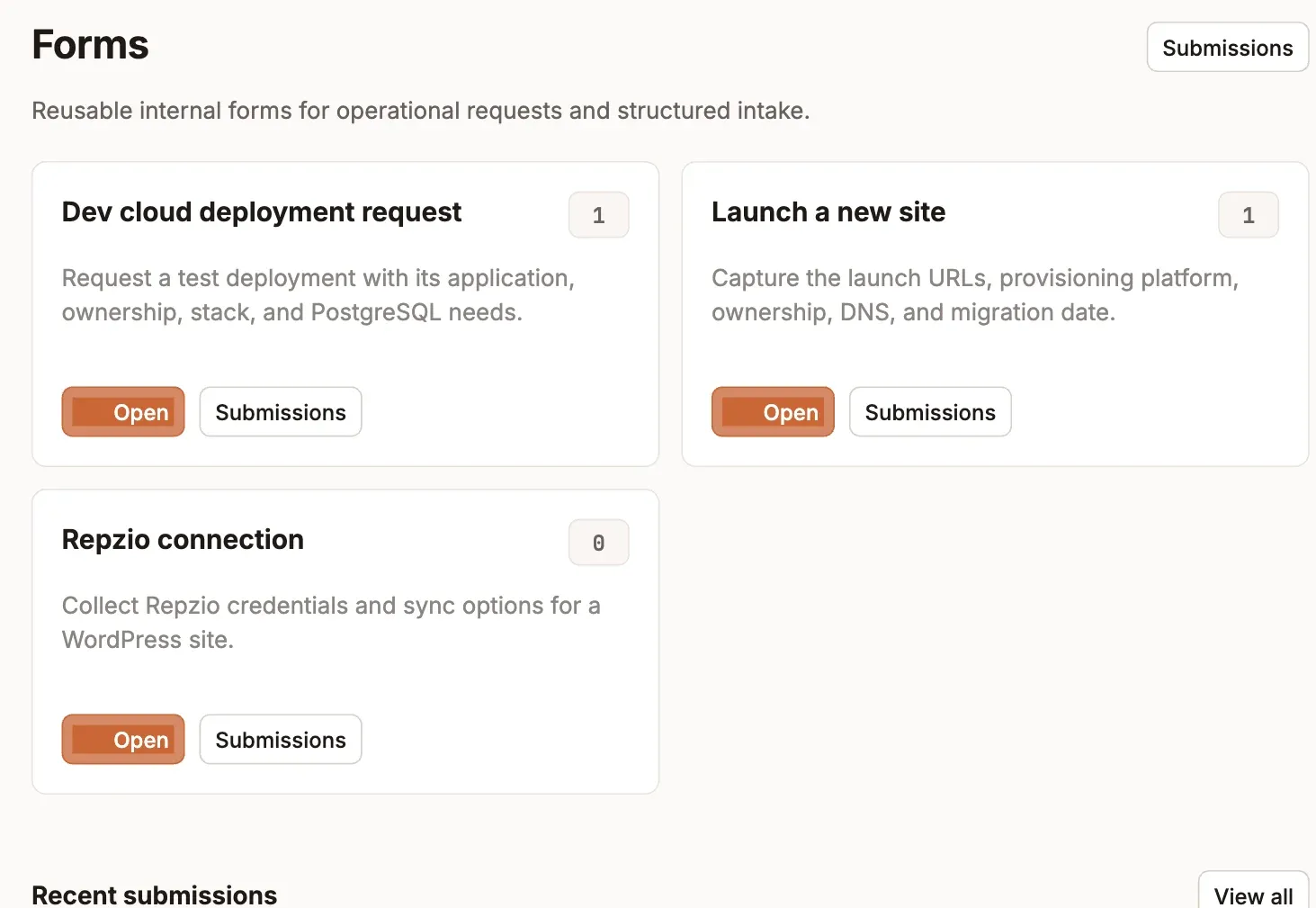
Inbound email turns into a task with the thread attached, and replies on the task go back to the sender. Client Slack channels map to their account, and custom forms capture structured requests like launching a new site.
- Email in, task out, replies go back to the client
- Slack channels mapped to clients
- Reusable intake forms
- 02 · Deliver
Plan, assign and track the work
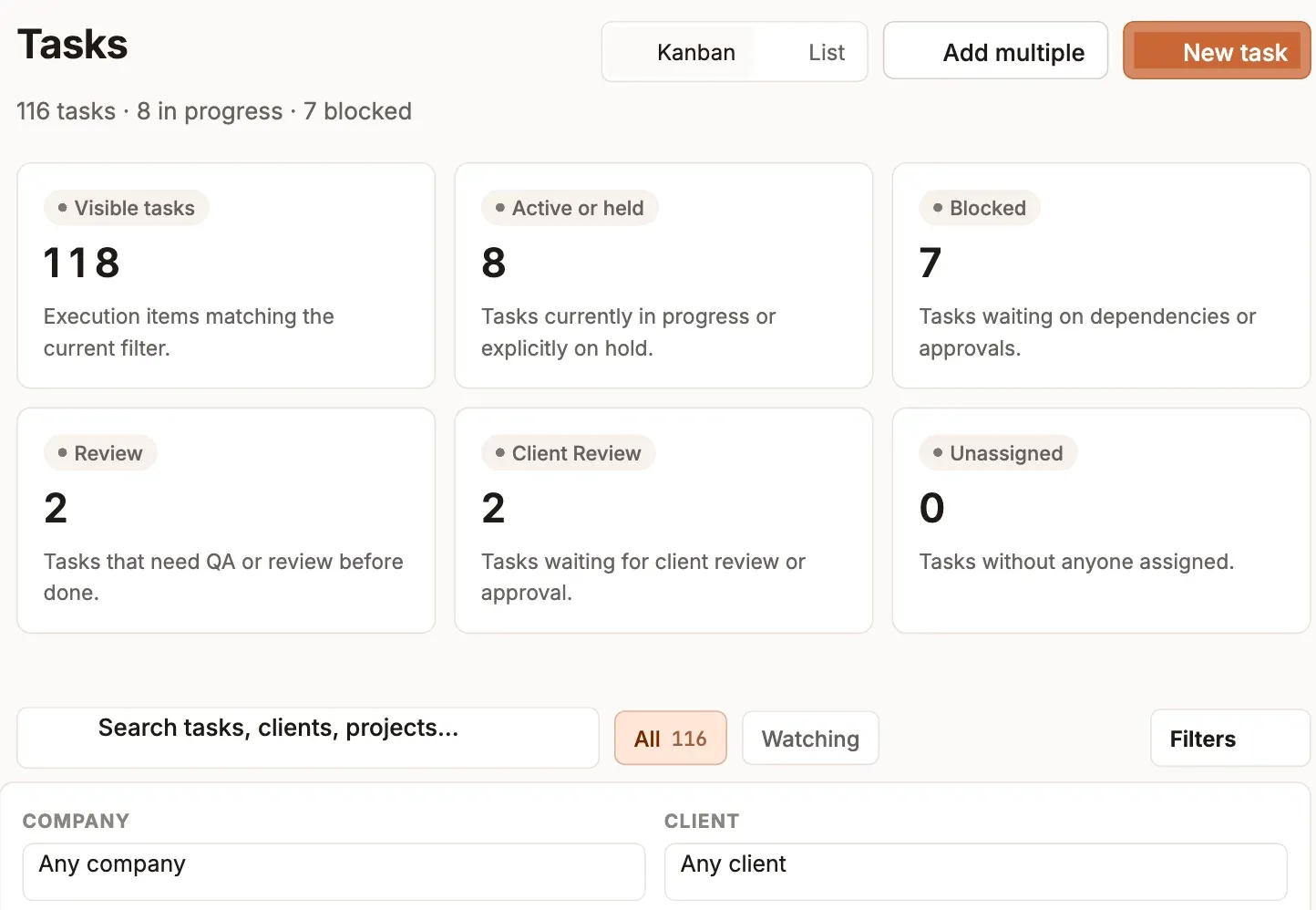
Tasks move across a board from To do to Done, through Review and Client review, with blockers called out. Watch any task to follow it, and acknowledge a comment so the team knows it's been seen.
- Kanban and list views
- Review and client-review stages built in
- Watch, mention and acknowledge
- 03 · Account
Every hour, accounted for
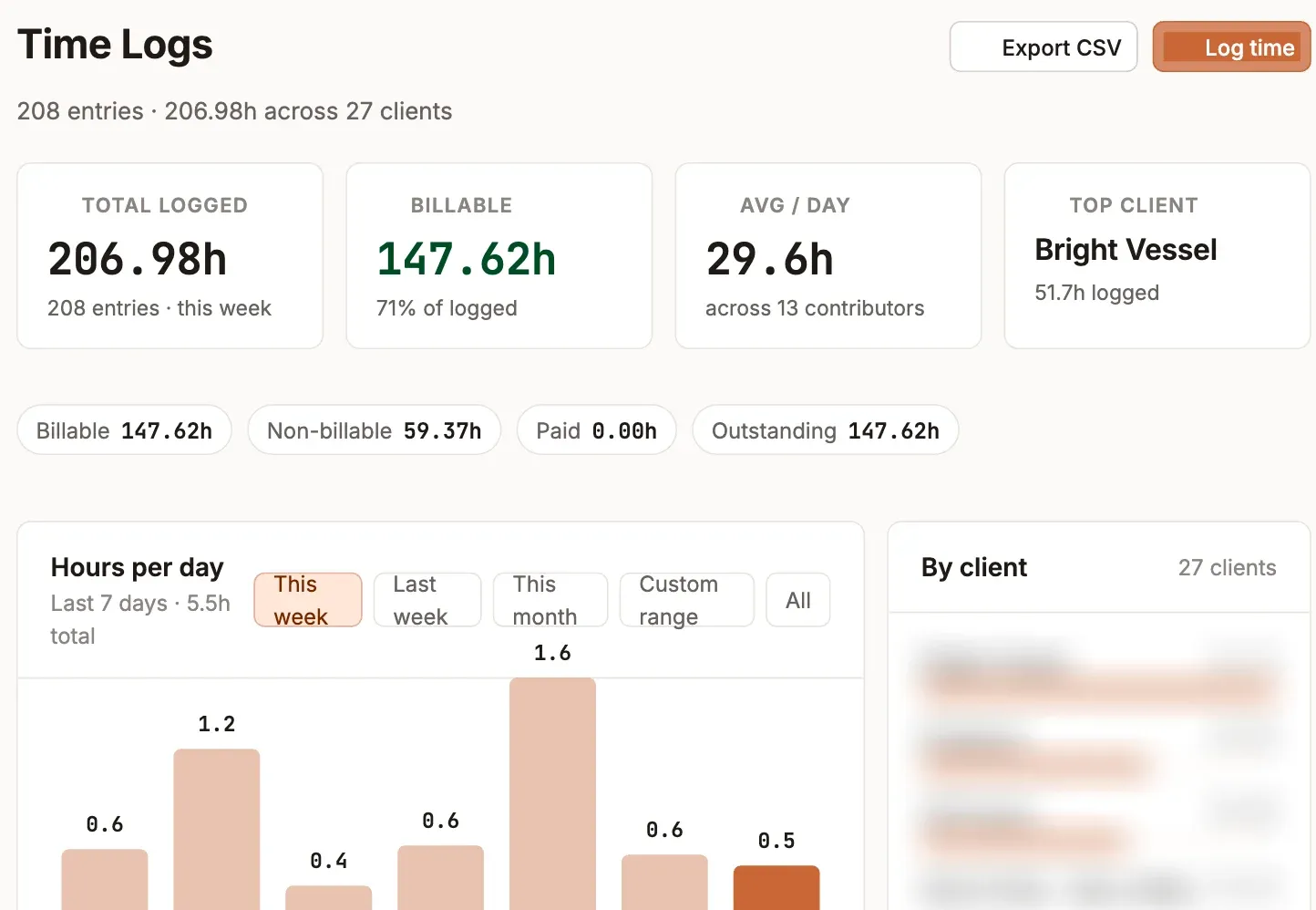
Time is logged against a task, the task belongs to a client, and the client's plan knows its included hours, so billable time, plan usage and billing periods add up on their own.
- Billable and non-billable, split automatically
- Plans flag when they approach their limit
- Monthly billing periods with utilization
One login for the whole agency
Delivery, time and operations share the same records, so every screen tells the same story.
The agency, at a glance
Active clients, projects and tasks, hours this week and this month, and what's changed recently, for the whole team, or just your own work.
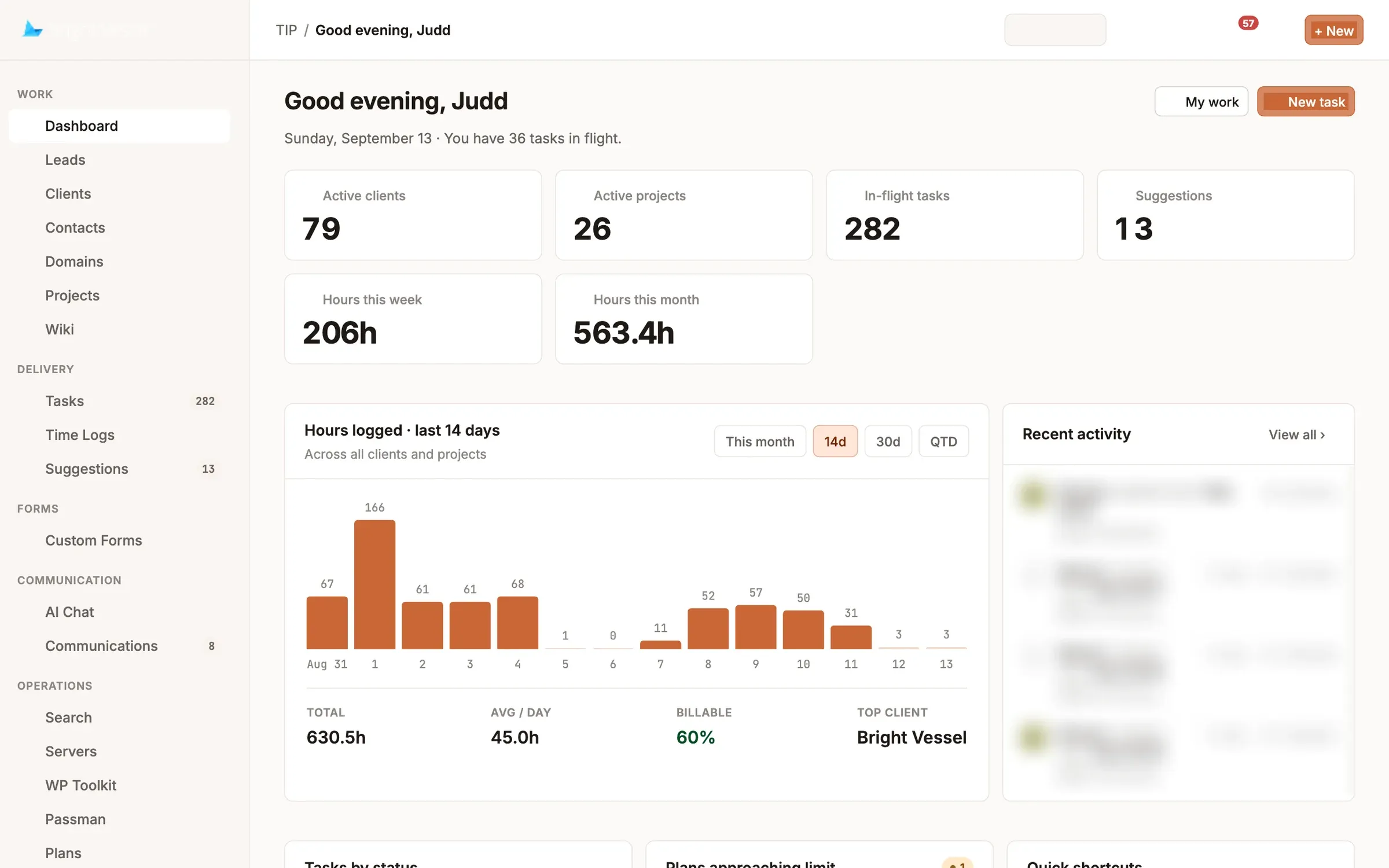 1 Clients, projects, tasks and hours at a glance 2 Hours across every client, over any range 3 What changed, across the whole team
 - 1 Clients, projects, tasks and hours at a glance
- 2 Hours across every client, over any range
- 3 What changed, across the whole team
Every task, in one queue
Filter by client, project, status or assignee, switch between board and list, and see what's in review, waiting on a client or blocked.
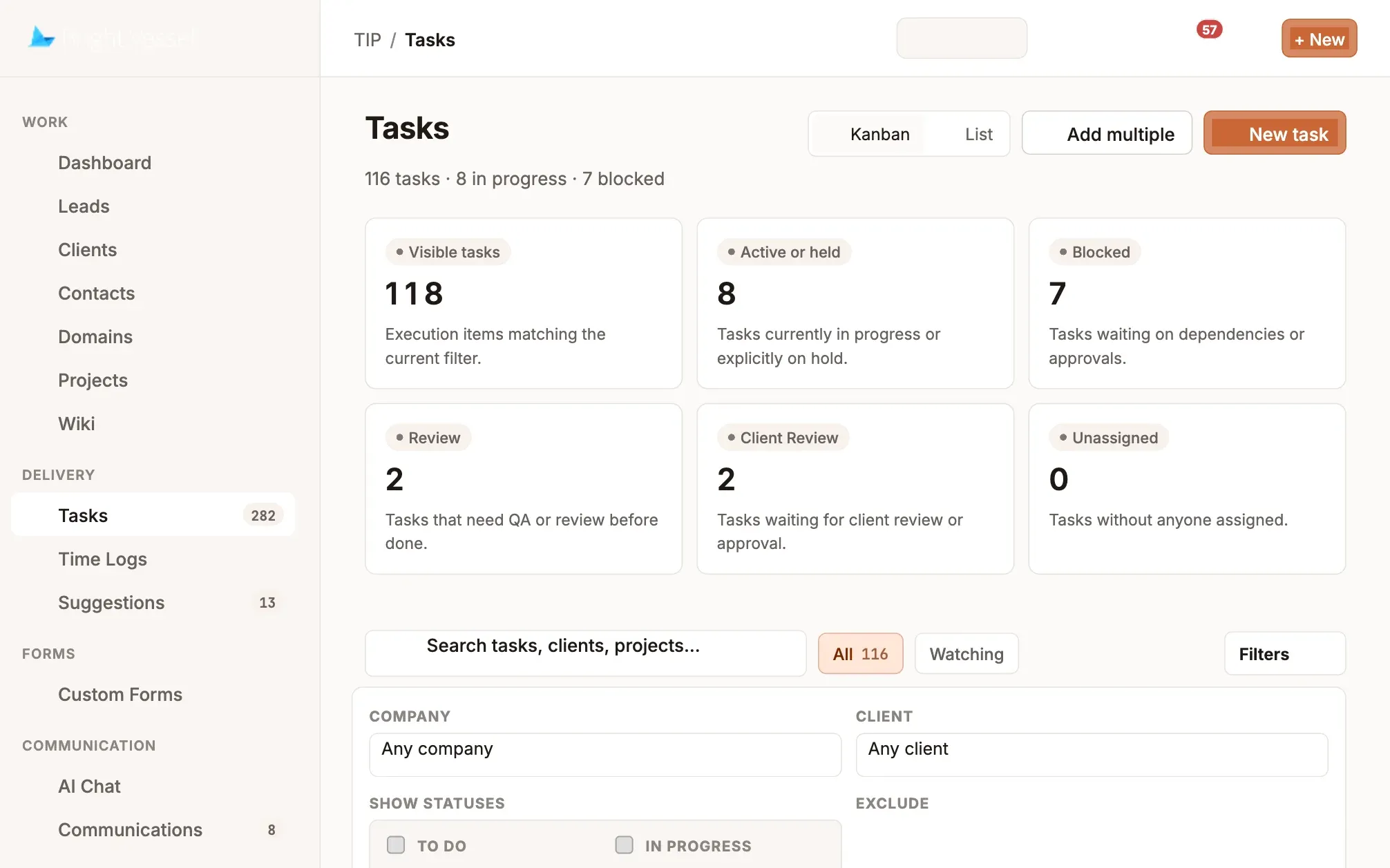 1 Live counts for every status 2 Client review is its own stage 3 Watch any task to follow it
 - 1 Live counts for every status
- 2 Client review is its own stage
- 3 Watch any task to follow it
Where the hours went
Total logged, billable share, average per day and hours by client, with daily totals across any range and a CSV export.
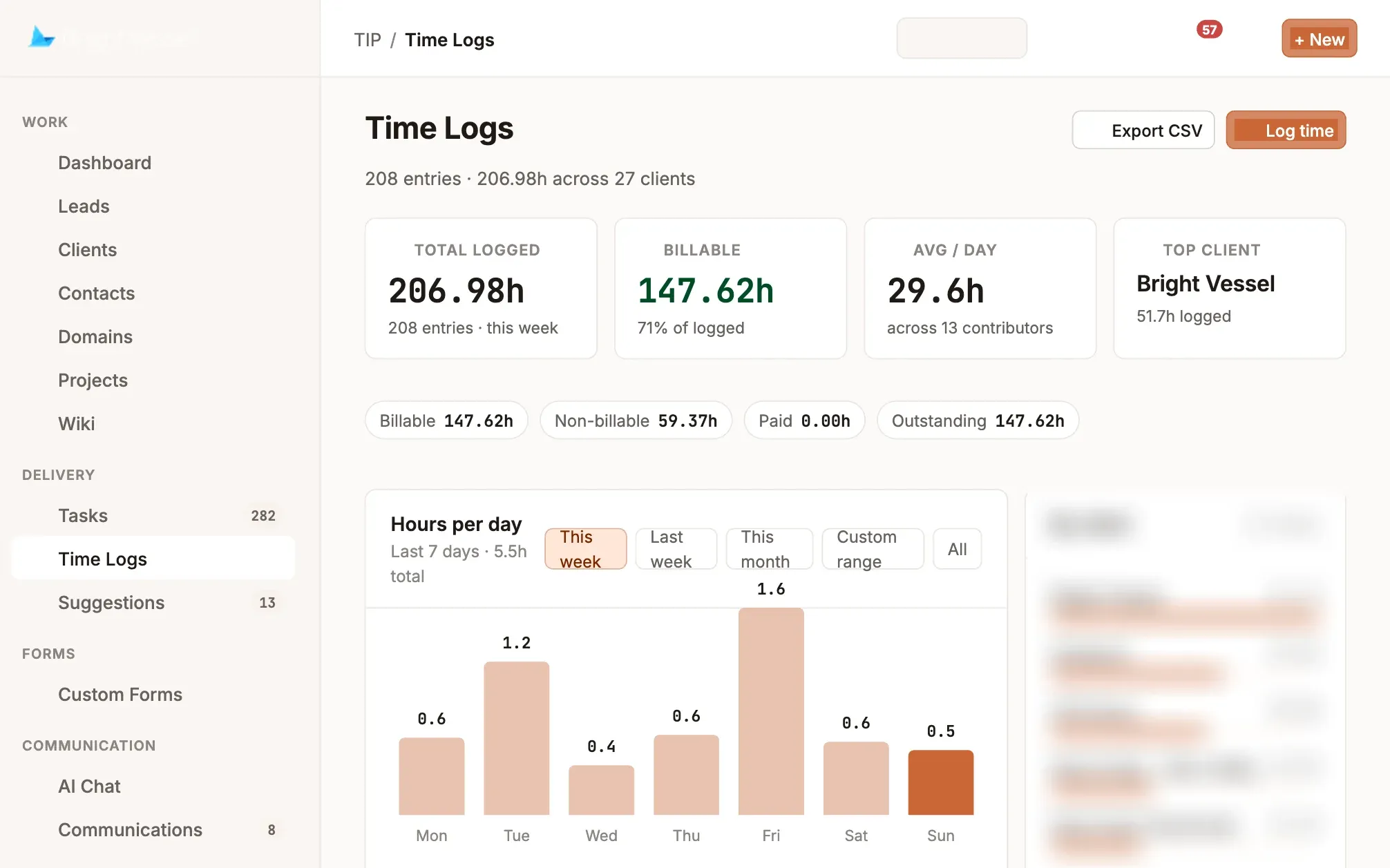 1 Billable vs. non-billable, split automatically 2 Daily totals for any date range 3 Hours by client
 - 1 Billable vs. non-billable, split automatically
- 2 Daily totals for any date range
- 3 Hours by client
Every server, site and plugin
Search across servers, Plesk sites and WordPress installs, down to a plugin and version, like every site running an out-of-date SEO plugin.
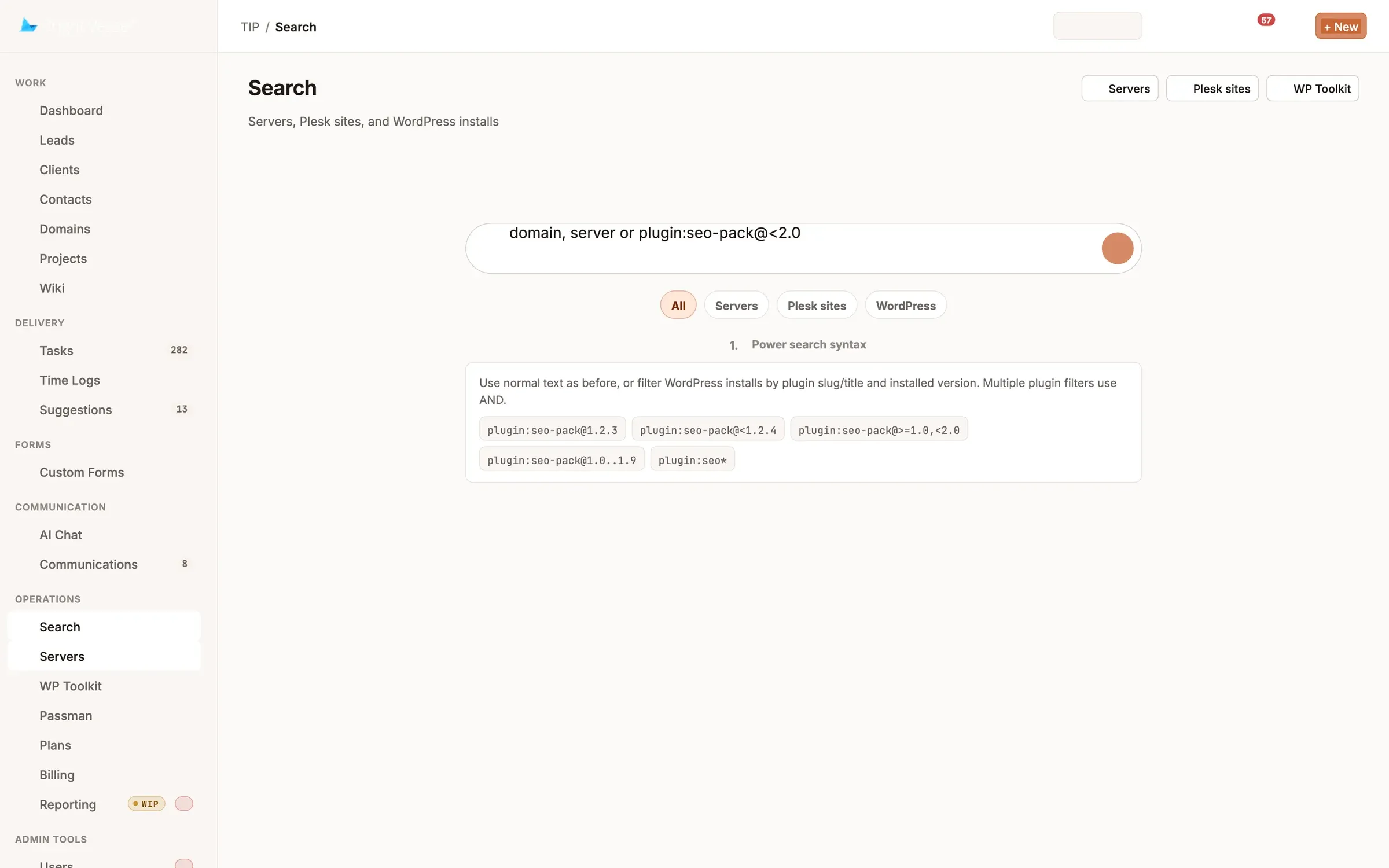 1 Domain, server or plugin 2 Servers, sites and WordPress 3 Find every site on an out-of-date plugin
 - 1 Domain, server or plugin
- 2 Servers, sites and WordPress
- 3 Find every site on an out-of-date plugin
Every hour lands somewhere. On the right plan.
Because time is logged against the work and the work belongs to a client's plan, TIP can tell you who's about to run over before the invoice does.
When a plan nears its included hours, TIP flags it on the dashboard before the month closes.
- 1Check in before you work
Time tracking enforces the team's standards automatically, so hours land on a task, not in a spreadsheet.
- 2Billing periods that close cleanly
Each monthly cycle shows included against consumed hours and utilization, broken down by activity, client and person.
- 3A daily digest at 8 AM
Overdue, due-today and active tasks in your inbox at the start of your workday, in your own timezone.
Everything the agency touches, in one place
Single sign-on, with access granted per module and per client.
- Client email
- Slack channels
- Custom forms
- Plesk servers
- WordPress Toolkit
- Claude and ChatGPT (MCP)
Leads, clients, projects, time, billing and reporting, with Kyle, TIP's AI, working inside the same permissions.
- Tasks with the conversation attached
- Time against the right plan
- Billing periods that close cleanly
- Security findings, prioritized
Everyone who keeps the agency running
- 01
Agency owners
See every client, plan and hour without asking anyone for a status update.
- 02
Account managers
Client timelines, plan usage and communications in one place before every call.
- 03
Delivery and operations
One queue for tasks and check-ins, plus the whole WordPress fleet, with alerts before sites break.
Questions about TIP
What does TIP bring together?
The tools an agency usually runs separately: CRM, projects and tasks, time tracking, client plans and billing, client communications and WordPress server operations, in one system, with one login.
What's the difference between a ticket and a task?
A ticket records the request: who asked, for which client, and the conversation around it. A task is the work: who owns it, the expected effort and the time logged. One ticket can have many tasks, and internal work can be a task with no ticket.
How does client email become work?
TIP reads connected mailboxes. A new email from a mapped client creates a task with the thread attached, replies are added as comments, and comments on the task are emailed back to the client.
Does TIP work with Slack?
Yes. A client's Slack channel can be mapped to their account so its messages sit alongside email threads, and Kyle can post infrastructure alerts to an internal channel.
How does time tracking work?
Time is logged against tasks, split into billable and non-billable, and rolled up by client, person and plan. Teams can require a check-in before work starts, and time logs export to CSV.
How do client plans and billing periods work?
Each client plan includes a set number of hours a month. TIP tracks consumption against it, flags plans nearing their limit on the dashboard, and closes each monthly billing period with included versus consumed hours and utilization.
What is Kyle?
Kyle is TIP's AI assistant. Its tools are available in Claude and ChatGPT through a secure MCP connection that uses each person's own access, and it can post selected replies and infrastructure alerts to Slack.
Can TIP manage WordPress sites?
Yes. TIP syncs servers, Plesk sites and WordPress installations, shows available updates and security findings, and searches every site down to a plugin and version. Live actions such as updates and backups require an admin.
How is access controlled?
Through single sign-on, with access granted per module and per client. Watching a task never grants access to it.
How can we see TIP running our agency?
Request a demo and we'll walk through TIP with you.
Where TIP fits
In practice
More platforms
- Bright Commerce Commerce operations and product information. →
- Continuum Cited, agentic AI memory for legal and financial work. →
- SchoolTracker.ai Marketing intelligence, trusted by 300+ school brands. →
- Shepard Church management software that tells staff what needs attention. →
- Helm A live financial operating system. →